
Koder Code Editor3.4.2 - App Store
You'll be able to see results in few seconds.
Publisher Description
"Koder for iPad: Nerds Rejoice! You Can Code on Your iPad"
-- GIZMODO / App of the day --
"Koder s simple yet efficient interface is designed for touch editing. At just $5.99, you get an editor with a well-designed interface at a great price. If you want to code with your trusty iPad, then Koder is for you."
-- AppAdvice --
"An accomplished code editor for many programming languages"
-- 148Apps --
"Editing code on your iPad should never be that difficult again"
--KillerStartups--
"The developers at iCodeLabs have done a great job optimizing the iPad s real estate for code editing"
--theiphoneappreview--
"The app for instant project creation and code editing, perfect for developers and programmers on the go."
--tipsfortablets--
-- Koder was listed on the App Store as a 'Staff Favorites' in 82 countries --
Koder is a code editor for iPad and iPhone. It does have many features including syntax highlighting, snippet manager, tabbed editing, find and replace code, editor theme, remote and local files connections, and many more.
With Koder you can code anytime and anywhere, no matter if you're at your desk or while on the go
Features:
- Syntax Highlighting ( Supports more than 80 languages : actionscript, actionscript3, active4d, ada, ampl, apache, applescript, asm-mips, asm-x86, asp-js, asp-vb, aspdotnet-cs, aspdotnet-vb, awk, batch, c, cobol, coffeescript, coldfusion, cpp, csharp, csound, css, d, dylan, eiffel, erl, eztpl, elixir, fortran, freefem, gedcom, gnuassembler, haskell, header, html, idl, java, javafx, javascript, jsp, latex, less, lilypond, lisp, logtalk, lsl, lua, markdown, matlab, mel, metapost, metaslang, mysql, nemerle, none, nrnhoc, objectivec, objectivecaml, ox, pascal, pdf, perl, php, plist, postscript, powershell, prolog, python, r, rhtml, ruby, sass, scala, sgml, shell, sml, sql, standard, stata, supercollider, tcltk, torquescript, udo, vb, verilog, vhdl, xml )
- Code Autocomplete
- Code Function list
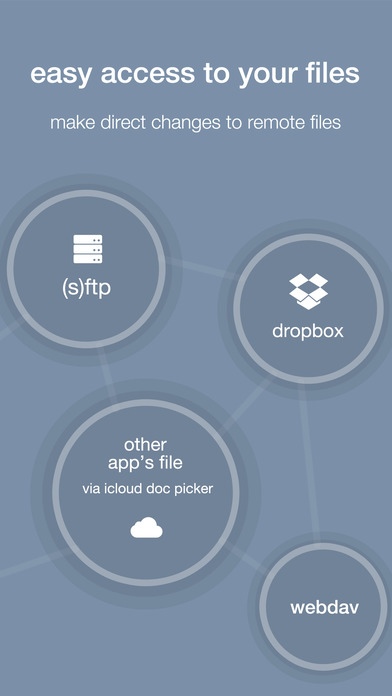
- Access and Manage your Dropbox, (S)FTP, webdav and local files easily
- Built In Terminal (SSH Client)
- Built In Snippet Manager
- Tabbed editing
- Extra Keyboard with Custom Key
- iOS8 Document Picker Support to open/import/export other app files from/to Koder
- Find and replace code
- Previewer Browser with Firebug Support + View Source function
- Editor theme with Custom Theme Editor
- Extra Key / Additional Keys on Virtual Keyboard with open+close brackets keys
- Screen-Lock, Manual and Auto Lock
- Extracting Zip File on Local project
- Sophisticated File Browser
- iOS "Open In" support, from Koder to other app - vice versa
- Change file/folder permission (CHMOD) on FTP/SFTP projects
- Folder Synchronization between Local Project and FTP Project
- Uploading files from desktop from browser or iTunes sharing
- Expandable editing space
- Bluetooth Keyboard Support
- and many more
Watch Koder on YouTube :
http://www.koderapp.com/youtube.html
Requires iOS 8.0 or later. Compatible with iPhone, iPad, and iPod touch.
About Koder Code Editor
The company that develops Koder Code Editor is Fauzan Hamdi. The latest version released by its developer is 3.4.2.
To install Koder Code Editor on your iOS device, just click the green Continue To App button above to start the installation process. The app is listed on our website since 2011-06-13 and was downloaded 0 times. We have already checked if the download link is safe, however for your own protection we recommend that you scan the downloaded app with your antivirus. Your antivirus may detect the Koder Code Editor as malware if the download link is broken.
How to install Koder Code Editor on your iOS device:
- Click on the Continue To App button on our website. This will redirect you to the App Store.
- Once the Koder Code Editor is shown in the iTunes listing of your iOS device, you can start its download and installation. Tap on the GET button to the right of the app to start downloading it.
- If you are not logged-in the iOS appstore app, you'll be prompted for your your Apple ID and/or password.
- After Koder Code Editor is downloaded, you'll see an INSTALL button to the right. Tap on it to start the actual installation of the iOS app.
- Once installation is finished you can tap on the OPEN button to start it. Its icon will also be added to your device home screen.
Program Details
System requirements
Download information
Pricing
Version History
version 3.4.2
posted on 2011-06-13
Disclaimer
Official App Store Link
We do not host Koder Code Editor on our servers. We did not scan it for viruses, adware, spyware or other type of malware. This app is hosted by Apple and passed their terms and conditions to be listed there. We recommend caution when installing it.
The App Store link for Koder Code Editor is provided to you by apps112.com without any warranties, representations or guarantees of any kind, so access it at your own risk.
If you have questions regarding this particular app contact the publisher directly. For questions about the functionalities of apps112.com contact us.
